Residents must opt in to receive LW Lives; new LW Nonprofit segment approved

COMMUNITY EMAIL ALERTS
At its Feb. 24 meeting, the GRF Board voted to amend GRF Policy 42-5050-1, to allow Leisure World’s nonprofits that exist solely to benefit residents to send a set number of LW Lives each month.
People who want to receive email notifications about Leisure World nonprofits—such as free Golden Age Foundation services like battery recycling, document shredding, Salvation Army donation events and more—must opt in to the LW Nonprofit segment.
On Jan. 1, LW Live subscribers were given the ability to customize their email preferences.
Subscribers can opt in or out of six email categories:
• LW Alert: Important emergency information about fires, natural disasters and more. These alerts will contain safety information relevant to all Leisure World residents and will be reserved only for serious disasters. This is also an ideal newsletter for family members who want to stay up to date on the safety of their loved ones.
• LW Essentials: Traffic and construction updates, amenity closures, town halls and more.
• LW Recreation: GRF special events, dances, holiday celebrations, bus trips, LW Library events and more.
• LW Health: Health and nutrition events, memory screenings, senior resources, and news from GRF Member Resources.
• LW Dining: Weekly food truck menus, food resources and more.
• LW Nonprofits: Notifications from 501(c)3 nonprofits whose sole purpose is to benefit Leisure World residents, such as the Golden Age Foundation.
The change reduces unwanted emails and ensure that people who want GRF news and emergency notifications get them in an efficient manner.
Notice to LW Live subscribers: On Jan. 1, all existing subscribers were opted in to the “LW Essentials” topic only.
People who would like to continue to receive email notifi cations of GRF Recreation events like dances and special events, food truck menus, emergency notices or Member Resources events must opt in by updating their email preferences.
How to change preferences (existing subscribers): 1. Access your email inbox and open any Leisure World Live email you’ve received in the past.
2. Scroll to the bottom of the email and click on “Update Profile,” which is listed in a grey font underneath the GRF address. This will open a new webpage.
3. Press “Submit,” on the webpage, which will initiate an email with instructions on how to update preferences.
4. Find the email in your inbox, and click the blue “Update Your Profile” button. 5. In the newly opened webpage, click on the boxes that correspond with your desired topics. Take this opportunity to ensure other information, such as your name and Mutual number, are up to date.
6. Once you’ve selected your desired topics, press “Update Profile.” If you make an error or want to update your preferences later on, you can restart this process at any time.
How to sign up (new subscribers): 1. Go online to www.lwsb. com/lw-live/.
2. Fill out your name, email and Mutual number. 3. Click on the boxes next to the topics you’re interested in. Then, press the blue “Sign up!” button at the bottom of the page.
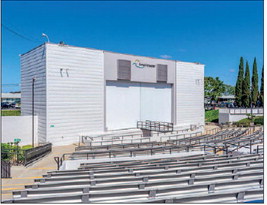
Those who need additional help can visit the News Office in person, located next to the Amphitheater, on weekdays from 8 a.m.-4 p.m.