How To Download Event Photos
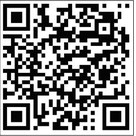
Valentine’s Day Dance attendees who had their photos taken at the backdrop in the lobby can download their photos digitally by following these steps: Step 1: Use a smart phone or tablet to scan the QR Code to the right OR navigate to https://www.icloud.com/sharedalbum/# B2cGqkRUiGSn14K.
Step 2: Be patient. There are many pictures so it may take up to 30 seconds or more to fully upload the link.
Step 3: Tap on a picture you like and look for the option to download it to your device These pics are 100% free, courtesy of photographer and resident Siegfried “Ziggy” Romano. For inquiries and/or technical assistance, email siegfried.romano@gmail.com.